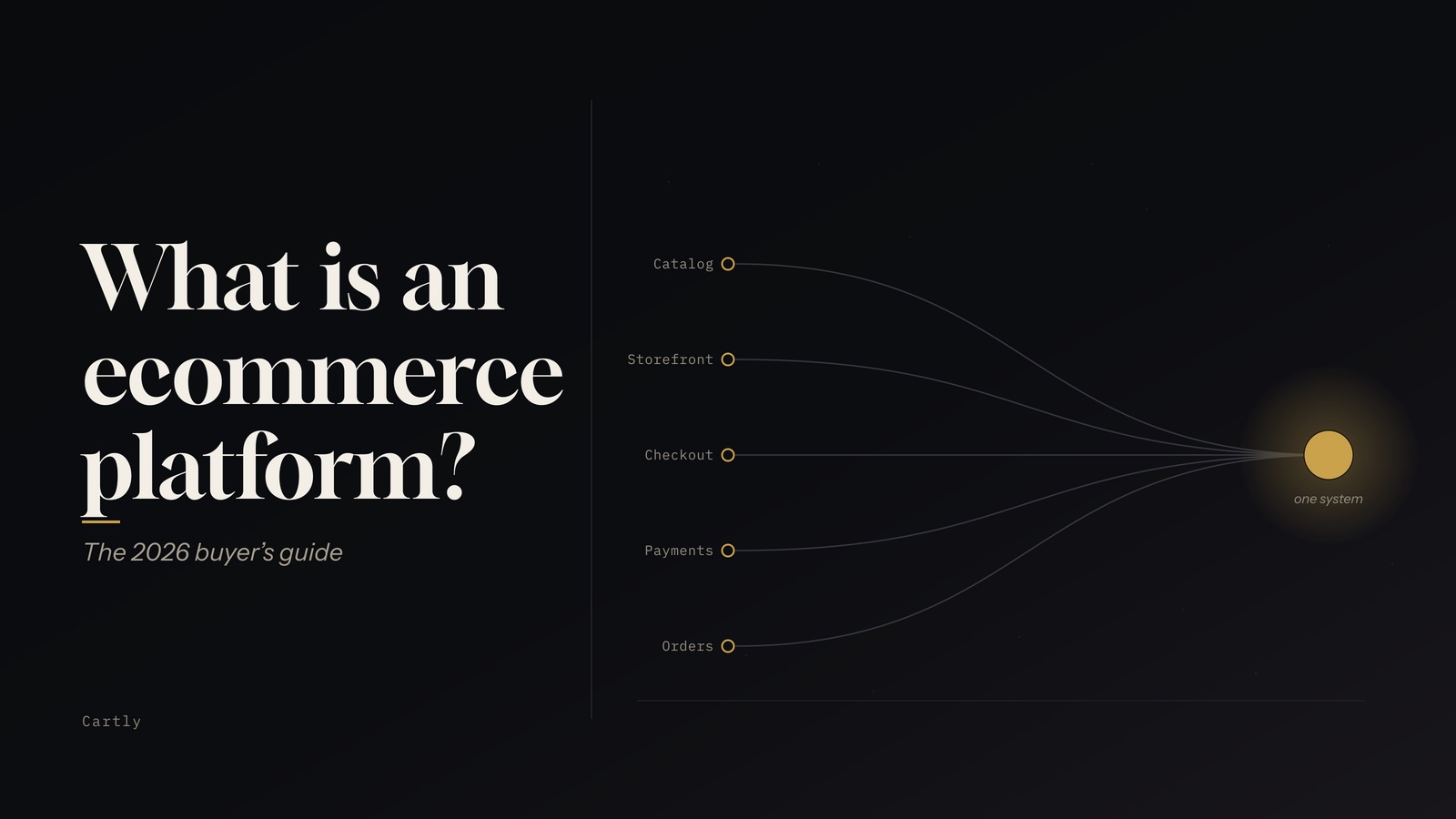
An ecommerce platform is the software that runs an online store: it holds your product catalog, powers the storefront your customers browse, processes checkout and payments, and records every order. Instead of stitching together a website builder, a shopping cart, a payment gateway, and an inventory tool, an ecommerce platform gives you one system where all of those pieces already work together.
If you are choosing one in 2026, the differences that matter are less about "can it show products" (they all can) and more about what you keep control of: your revenue, your checkout logic, your code, and your ability to sell across borders. This guide explains what an ecommerce platform does, how the main types differ, what to look for, and where Cartly fits.
What an ecommerce platform does
Under one roof, a modern ecommerce platform handles:
- Catalog. Products, variants, collections, media, and search.
- Storefront. The themed, public-facing site, ideally fast and SEO-friendly out of the box.
- Checkout & payments. Cart, shipping and tax calculation, and one or more payment gateways.
- Orders & inventory. Order state, fulfillment, stock, and multi-location inventory.
- Customers. Accounts, addresses, and (for larger sellers) company and buyer roles.
- Extensibility. Apps, an API, and ways to customize behavior without forking the whole system.
The best platforms make the common path effortless and still let you go off-road when your business needs something specific. A store selling ten products and a store selling ten thousand across three countries run on the same fundamentals; the platform's job is to scale with you without a rebuild at every stage.
The three main types of ecommerce platform
1. SaaS (hosted)
The platform runs the software for you: hosting, security, updates, and uptime are handled. You get live fast and hand off server patching. The trade-off is flexibility: you work within the platform's rules, and deep customization (especially of checkout) is often gated to expensive top tiers.
2. Open-source (self-managed)
You get the source code and total control, but you (or an agency) own hosting, scaling, security patches, and upgrades. It is powerful for teams with engineering resources and a real operational burden for everyone else. A "free" license is rarely free once you add hosting, maintenance, and developer time.
3. Headless / composable (API-first)
The storefront (front end) is decoupled from the commerce engine (back end) and talks to it through an API. This gives developers freedom to build any front end (a custom site, a mobile app, an in-store kiosk) against the same catalog and checkout. "Composable" (sometimes called MACH: microservices, API-first, cloud, headless) extends the idea to swapping individual services. The cost is complexity: you are assembling and maintaining more moving parts.
In practice the line is blurring. The most useful platforms now offer SaaS convenience and a headless API, so you can start with a ready-made storefront and go headless later without replatforming.
At a glance
| Type | You manage | Best for | Main trade-off |
|---|
| SaaS | Just your store | Most merchants; fast launch | Flexibility limited by the platform |
| Open-source | Hosting, security, upgrades | Teams with engineers | High operational burden |
| Headless / composable | Your front end(s) | Custom or multi-channel front ends | More parts to build and maintain |
What to look for in 2026
- True cost, including transaction fees. Many platforms add a percentage on every order unless you use their own payment product. On real volume that can dwarf the subscription. Read the fee schedule, not just the monthly price.
- Checkout control. Checkout is where revenue is won or lost. Can you add custom discount, validation, delivery, and payment logic, and on which plan?
- Developer workflow. Can your team work in Git with real version control and CI/CD, or are you stuck in a locked web editor?
- Internationalization. Multi-currency with automatic FX, multiple languages, and local payment methods decide whether you can sell across borders.
- B2B. If you sell to businesses, native companies, roles, and SSO matter more than any storefront theme.
- Reliability. Ask how the platform guarantees that every authorized payment becomes an order. A dropped order is lost revenue and an angry customer.
- Extensibility & ownership. An API, an app marketplace, and data you can export keep you from being boxed in.
Signs you have outgrown your ecommerce platform
Most merchants do not choose a platform once; they replatform when the old one starts to cost them. Common triggers:
- Transaction fees have grown into a serious line item as your volume climbed.
- You need a checkout change the platform will not allow on your plan.
- Your developers are fighting the theme editor instead of shipping in Git.
- You are expanding into new countries and currencies and the platform makes it awkward.
- You want a custom front end or mobile app but the back end has no usable API.
If two or more of these sound familiar, it is worth pricing out a move.
Where Cartly fits
Cartly is built for merchants who want SaaS convenience without hitting a flexibility ceiling. A few things set it apart:
- 0% transaction fees on every plan. Cartly charges a flat subscription and takes no cut of your sales; you pay only your payment processor's fee.
- Programmable checkout. Checkout Functions let you write real discount, validation, delivery, and payment rules into your checkout. It is included from the Pro plan, not reserved for a six-figure enterprise contract.
- Git-native themes. Connect a GitHub repository and sync your theme both ways (branches, pull requests, and CI/CD) instead of editing in a locked web tool.
- Headless when you need it. A full Storefront API (REST and GraphQL) lets you build a custom front end against the same catalog and checkout, so you are not forced to choose headless up front.
- Global-first. Multi-currency markets with automatic exchange rates, an admin in eight languages, and regional payment methods make cross-border selling first-class.
- Native B2B. Companies, locations, roles, and SSO are built in, not bolted on through apps.
- Reliability by design. Cartly runs checkout on a durable workflow engine (a Temporal saga) so that authorized payments reliably become orders, its "Zero Lost Orders" principle.
How to choose (and how to switch)
Start from your constraints, not a feature list. Estimate the true annual cost including transaction fees. Decide how much checkout and code control your team needs. Check that international and B2B requirements are met natively rather than through paid add-ons. Then shortlist two or three platforms and run a real product through a test store (the catalog, a checkout, a refund) before committing.
Migrating is usually less painful than merchants fear: export your products, customers, and orders, import them into the new platform, rebuild or port your theme, connect your payment gateway, and set up redirects from your old URLs so you keep your search rankings.
The bottom line
An ecommerce platform is the foundation your store is built on. In 2026 the platforms worth your time combine the ease of SaaS with the openness of headless, and let you keep your revenue, your checkout logic, and your code. If that is what you are after, see how Cartly compares to Shopify, or start a free trial and build a test store today.